Free CompTIA A+ Exam Prep
CompTIA A+ (220-1201 and 220-1202)
Prepare for the CompTIA A+ exam without spending hundreds on expensive prep courses. Free study guides, practice questions, flashcards, and related exam resources.
Quick Facts
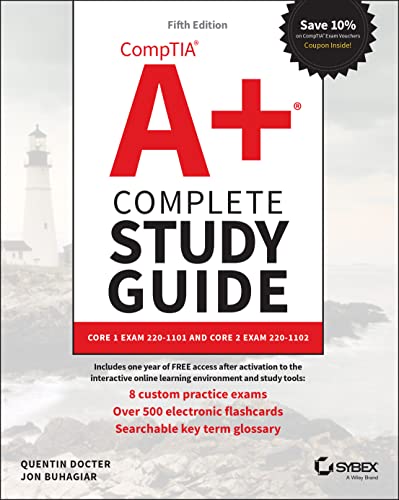
 Buy on Amazon
 Take courses on Udemy
 Learning path on Pluralsight
Explore More CompTIA Certifications
Continue into nearby exams from the same family. Each card keeps practice questions, study guides, flashcards, videos, and articles in one place.
More From This Family
Videos and articles for deeper review.
CompTIA CompTIA Certifications License: Complete Roadmap
Follow this path to organize your licensing and exam preparation
Phase 1: Core 1 Hardware + MobileYou are here
Cover hardware components, peripherals, mobile devices, and setup workflows.
Phase 2: Core 1 Networking + Troubleshooting
Master protocols, network setup, and diagnosis techniques for common failures.
Phase 3: Core 2 Operating Systems + Security
Review Windows/Linux/macOS admin tasks, system hardening, and malware response.
Phase 4: Core 2 Software + Operations
Practice software troubleshooting, documentation, backup, and change procedures.
Phase 5: Two Full Exam Simulations
Run separate Core 1 and Core 2 timed practice sessions and close weak domains.
Can You Take the CompTIA A+ Exam?
Check if you meet the basic eligibility requirements
- •Both Core 1 (220-1201) and Core 2 (220-1202) must be passed
- •Both exams must be taken from the same A+ version
- •In-person or online proctored delivery through Pearson VUE
CompTIA A+ Quick Facts
Time to Get Licensed
8-12 weeks for most candidates
From start to license in hand
Retake Policy
CompTIA policy: no wait after first failure; 14-day wait before second and later retakes; passed exam versions cannot be retaken.
Total Cost Breakdown
Free CompTIA A+ Prep Tools
Reported exam pass rate: CompTIA does not publish exam-level pass-rate percentages.. These figures describe exam candidates, not OpenExamPrep user outcomes. Check the exam sponsor’s website for published statistics.
200 Practice Questions
Practice across all Core 1 and Core 2 objective areas.
AI-Powered Learning
Get focused coaching on troubleshooting logic and exam readiness.
2026 Updated
Review current A+ V15 objective coverage and exam details.
Free Access
Train on A+ style questions for free with detailed explanations.
What You'll Study
10 chapters covering the exam topics in this guide
Introduction & Exam Overview
2 sections
Core 1 Domain 1: Mobile Devices (13%)
5 sections
Core 1 Domain 2: Networking (23%)
6 sections
Core 1 Domain 3: Hardware (25%)
6 sections
Core 1 Domain 4: Virtualization & Cloud Computing (11%)
3 sections
Core 1 Domain 5: Hardware & Network Troubleshooting (28%)
5 sections
Core 2 Domain 1: Operating Systems (28%)
6 sections
Core 2 Domain 2: Security (28%)
4 sections
Core 2 Domain 3: Software Troubleshooting (23%)
3 sections
Core 2 Domain 4: Operational Procedures (21%)
5 sections
CompTIA A+ Exam Details
CompTIA A+ (220-1201 and 220-1202)
Administered by CompTIA
Exam Content Breakdown
Based on the official CompTIA content outline
Install and configure laptops and mobile devices, accessories, and synchronization support.
Networking standards, ports/protocols, SOHO setup, and connectivity troubleshooting basics.
PC hardware components, storage, motherboards, printers, and physical installation workflows.
Cloud concepts, virtualization basics, and common deployment/service models.
Systematic diagnosis and resolution of hardware, connectivity, and performance issues.
Windows, Linux, macOS, CLI usage, configuration, and administrative tasks.
Endpoint security controls, authentication, malware response, and hardening fundamentals.
Diagnose and resolve OS, application, and security-related software failures.
Documentation, safety, professionalism, change management, and backup/recovery procedures.
What's Included
10 Chapters
Complete exam coverage
Practice Quizzes
With detailed explanations
Free to Start
No credit card required

Quality Exam Prep Shouldn't Cost Hundreds
I'm Ran Chen, an engineer with 20+ years of coding experience. I passed my Life Insurance license, EA exam, SIE, Series 6, 63, 65, and finally the CFP® exam.
Through all these exams, one thing became clear: exam prep is expensive. But with AI, we can change that. Quality preparation can now be free for everyone.
What's Next After the CompTIA A+?
After passing the CompTIA A+, you can pursue these career paths
CompTIA A+ Exam FAQ
Official CompTIA Resources
Verify information with these official sources
More Free Resources
Ready to Start Your Free CompTIA A+ Prep?
Review the study guide, practice key concepts, and use the free tools at your own pace.