Core 1 Hardware
13-28%of exam
Core 1 Networking
11-23%of exam
Core 2 Systems
23-28%of exam
Security + Ops
21-28%of exam
Quick Facts
- Exams
- 220-1201 + 1202
- Questions
- Max 90 each
- Time
- 90 min each
- Pass C1
- 675/900
- Pass C2
- 700/900
- Format
- MCQ + PBQ
- Skill
- Troubleshoot first
Laser Process
Process -> Charge -> Expose -> Develop
Transfer nextFuse tonerClean drumLaser only
RAM vs Storage
RAM
- Volatile
- Active work
- Fast
Storage
- Persistent
- Saved data
- Slower
Work vs save
Mobile Devices
- Touchpad
- Pointer input
- Digitizer
- Touch layer
- Dock
- Port expansion
- NFC
- Near-field pairing
- Bluetooth
- Short-range wireless
- Hotspot
- Shared cellular
HDD vs SSD
HDD
- Mechanical
- Cheaper
- Moving parts
SSD
- Flash
- Faster
- No moving
Spinning vs flash
Hardware
- CPU
- Executes instructions
- RAM
- Volatile memory
- Motherboard
- Component backbone
- PSU
- Power supply
- GPU
- Graphics processing
- TPM
- Hardware trust
Storage
- HDD
- Spinning disk
- SSD
- Flash storage
- NVMe
- PCIe storage
- SATA
- Drive interface
- RAID 0
- Stripe speed
- RAID 1
- Mirror redundancy
Printers
- Laser
- Toner process
- Inkjet
- Liquid ink
- Thermal
- Heat paper
- Impact
- Ribbon strike
- Fuser
- Bonds toner
- Duplex
- Two-sided print
Mail Ports
SMTP 25 | POP3 110 | IMAP 143
SMTP sendsPOP downloadsIMAP syncsHTTPS 443
NAT vs DHCP
NAT
- Translates addresses
- Internet sharing
- Router
DHCP
- Leases addresses
- Client config
- Scope
Translate vs assign
Network Triage
- 169.254 IP→Check DHCP
- No name→Check DNS
- No gateway→Check router
- Weak Wi-Fi→Check channel
- No link→Check cable
- VPN fails→Check creds
Ports
- 20/21
- FTP
- 22
- SSH
- 25
- SMTP
- 53
- DNS
- 80
- HTTP
- 110
- POP3
- 143
- IMAP
- 443
- HTTPS
IMAP vs POP3
IMAP
- Server sync
- Port 143
- Multi-device
POP3
- Download mail
- Port 110
- Single-client
Sync vs download
Networking
- DHCP
- Leases IP
- DNS
- Names to IP
- NAT
- Address translation
- APIPA
- 169.254 fallback
- SSID
- Wireless name
- VPN
- Encrypted tunnel
Cloud
- IaaS
- Virtual infrastructure
- PaaS
- Managed platform
- SaaS
- Hosted app
- VDI
- Virtual desktop
- Hypervisor
- Runs VMs
- Snapshot
- Point copy
UEFI vs BIOS
UEFI
- Modern firmware
- Secure Boot
- GPT
BIOS
- Legacy firmware
- MBR
- Older systems
Modern vs legacy
Boot Triage
- No power→Check PSU
- POST beeps→Check hardware
- No OS→Check boot order
- Slow boot→Check startup
- Driver issue→Device Manager
- Disk issue→Disk Mgmt
Windows Tools
- Device Mgr
- Driver status
- Disk Mgmt
- Partitions
- Event Viewer
- System logs
- Task Manager
- Processes
- Services
- Daemon control
- gpedit
- Local policy
Troubleshooting Steps
Identify -> Theory -> Test -> Plan
Implement fixVerify functionDocument outcomeEscalate if needed
Malware Triage
- Suspect malware→Quarantine host
- Need evidence→Preserve logs
- Remove threat→Scan offline
- Fix gaps→Patch system
- Restore data→Clean backup
- Prevent repeat→User training
Security
- MFA
- Extra factor
- BitLocker
- Disk encryption
- Firewall
- Traffic filter
- EDR
- Endpoint detection
- Phishing
- Fake lure
- Quarantine
- Isolate file
Procedures
- Change
- Controlled update
- Ticket
- Work record
- Backup
- Recovery copy
- ESD strap
- Static protection
- SDS
- Safety sheet
- Chain custody
- Evidence tracking
Common Traps
DHCP mixup
DHCP assigns IP ≠ DNS resolves names
Memory mixup
RAM is volatile ≠ Storage persists
Firmware mixup
UEFI is modern ≠ BIOS is legacy
Mail mixup
SMTP sends mail ≠ IMAP syncs mail
Malware order
Quarantine first ≠ Restore later
Last Minute
- 1.Core 1 = devices/network/hardware
- 2.Core 2 = OS/security/ops
- 3.DHCP gives IP
- 4.DNS gives names
- 5.NAT translates addresses
- 6.RAM loses power
- 7.SSD has no moving parts
- 8.UEFI supports Secure Boot
- 9.SMTP sends email
- 10.IMAP syncs email
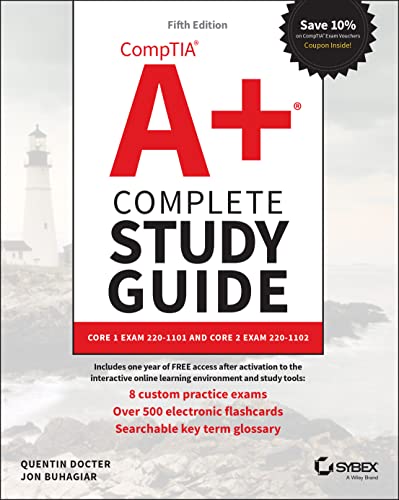
 Buy on Amazon
 Take courses on Udemy
 Learning path on Pluralsight
Same family resources
Explore More CompTIA Certifications
Continue into nearby exams from the same family. Each card keeps practice questions, study guides, flashcards, videos, and articles in one place.
More From This Family
Videos and articles for deeper review.
VideoCompTIA A+ Core 1 vs Core 2: Which Is Harder? (2026)This examVideoBest Cable Testers for Network Technicians in 2026: Klein VDV526-200 vs Fluke vs TRENDnetVideoCompTIA PenTest+ Exam Guide 2026: PT0-003 Prep Beyond Tool NamesVideoFREE Cisco CCST Cybersecurity (100-160) Exam Guide 2026: Pass First TryArticleCompTIA A+ Core 1 vs Core 2: Which Is Harder? (2026)14 min readArticleBest Electronics Repair Toolkits for CompTIA A+ Exam Candidates: Complete 2026 Buying Guide14 min readArticleBest Network Cable Crimping Tool Kits in 2026: Hands-On Prep for CompTIA A+ and Network+14 min readArticleBest Raspberry Pi 5 Starter Kits for CompTIA A+ and Linux+ Hands-On Lab Practice in 202615 min read