PL-900 in 2026: Route Your Prep to the Current Outline
Microsoft PL-900 (Power Platform Fundamentals) is still the fastest beginner credential for entering the Microsoft low-code ecosystem, but the exam changed enough that old prep paths can waste a lot of time. The current PL-900 is a 45-minute fundamentals exam built around five skills: business value, managing the Power Platform environment, Power Apps, Power Automate, and Power Pages. It costs $99 USD in the United States, takes most candidates about 20-40 hours of study, and the certification does not expire because Microsoft Fundamentals credentials are lifetime credentials.
The useful way to study PL-900 in 2026 is not to memorize every Power Platform product equally. It is to route your time through the current Microsoft outline: put the most weight on Power Apps, keep Dataverse and administration tied to environment management, know Power Automate flow selection cold, and treat Power BI, Copilot Studio, and AI Builder as high-level business-value topics rather than deep standalone domains.
This guide is built from the official Microsoft PL-900 exam page and the PL-900 Skills Measured study guide, current as of the June 24, 2026 Microsoft Learn revision. It also calls out where older competitor pages and video courses commonly misroute candidates.
BREAKING: PL-900 changes AGAIN on July 24, 2026
Microsoft's own study-guide page confirms a second skills-measured refresh in just over a year. Effective July 24, 2026, PL-900 removes Power Pages as a standalone domain and adds a brand-new "Copilot Studio agents" domain worth 20-25% — the same weight class as Power Apps and Power Automate. Business Value drops to 5-10%. As of publication, almost no other PL-900 prep page online covers this yet.
Which outline applies to you? Check the date you are scheduled to sit the exam, not today's date:
- Scheduled before July 24, 2026: study the 5-skill outline in this guide's main sections (Business Value, Manage Environment, Power Apps, Power Automate, Power Pages).
- Scheduled on or after July 24, 2026: study the same core (Business Value, Manage Environment, Power Apps, Power Automate) PLUS the new Copilot Studio agents domain covered in the dedicated section further down this guide — and you can skip Power Pages entirely.
Start with free practice now: Use PL-900 practice questions across the current skills measured: business value, managing the Power Platform environment, Power Apps, Power Automate, and Power Pages. For a structured outline, keep the PL-900 study guide open beside this article.
Current-outline warning: The June 20, 2025 PL-900 refresh removed Power BI, Microsoft Copilot Studio, and AI Builder as standalone skill areas. Power Apps increased to 25-30%, and Power Pages became its own 10-15% domain. If a course still gives Power BI the same treatment as Power Apps, it is routing you toward an even older exam version.
PL-900 Exam At-a-Glance (2026)
| Detail | Information |
|---|---|
| Certification | Microsoft Certified: Power Platform Fundamentals |
| Level | Beginner (Fundamentals) |
| Delivery | Pearson VUE — online proctored OR test center |
| Questions | 40-60 (varies by form) |
| Duration | 45 minutes |
| Question Formats | Multiple-choice, multiple-response, true/false, drag-and-drop, matching, build-list, case studies |
| Passing Score | 700 on a 1-1000 scaled scale |
| Cost | $99 USD (varies by country) |
| Languages | English, Spanish, German, French, Japanese, Korean, Italian, Russian, Arabic (Saudi Arabia), Brazilian Portuguese, Simplified Chinese, Traditional Chinese (12 total) |
| Prerequisites | None (familiarity with Microsoft 365 recommended) |
| Validity | Lifetime — Microsoft Fundamentals do NOT expire |
| Renewal | Not required |
| Retake Policy | 24 hours after first fail; 14 days for subsequent retakes; 5 attempts per 12 months |
| Scheduling | learn.microsoft.com → Pearson VUE |
| Next Outline Change | July 24, 2026 — Power Pages dropped, Copilot Studio agents domain (20-25%) added |
The Routing Problem Most PL-900 Prep Gets Wrong
The PL-900 search results are full of pages that list every Power Platform service, then leave candidates to guess what matters now. That is the gap to fix. PL-900 is valuable, but only if you study it as the current fundamentals exam Microsoft is actually testing.
1. The exam is no longer balanced around the old product tour. Power Apps is now the largest domain at 25-30%. Power Pages has its own 10-15% domain. Power BI, Copilot Studio, and AI Builder are not gone from the ecosystem, but they are no longer standalone PL-900 study blocks.
2. The real skill is routing scenarios to the right service. PL-900 questions usually ask which Power Platform component fits a business need: internal app, external portal, API-based cloud automation, legacy desktop automation, Dataverse record management, environment governance, or business-value explanation. The candidate who can route those scenarios quickly beats the candidate who only memorized product slogans.
3. The credential is low-cost and durable. At $99 USD in the United States, PL-900 is cheaper than most Microsoft role-based exams. Because it is a Fundamentals credential, it does not require annual renewal. That makes it useful for business users, analysts, students, and Microsoft partner staff who want a durable entry credential before deciding whether to move toward PL-200, PL-300, PL-400, or PL-600.
The practical study rule: use Microsoft Learn for the official vocabulary, then use PL-900 practice questions to train service selection under time pressure. Every miss should tell you which route you confused: Power Apps vs Power Pages, canvas vs model-driven, cloud flow vs desktop flow, Dataverse vs ordinary file storage, or admin center vs maker portal.
Who PL-900 Routes Well, and Who Should Skip It
Microsoft designed PL-900 as a foundational credential for several audiences:
| Audience | Why PL-900 Fits |
|---|---|
| Business users and functional stakeholders (sales, HR, finance, operations) | Gain fluency in low-code so you can build your own apps, flows, and dashboards instead of waiting on IT |
| Citizen developers / app makers | Validate and formalize your low-code skills with a Microsoft-issued credential |
| Functional consultants at Microsoft partners | Establish baseline Power Platform knowledge before specializing in Dynamics 365 or PL-200 / PL-600 |
| Traditional developers pivoting to low-code | Learn the Power Platform mental model and where "pro-code" extensibility (Power Fx, custom connectors, Azure Functions) fits |
| Students | Add a first Microsoft credential for internships, entry roles, and Microsoft Learn Student Ambassador programs |
PL-900 Is a Fit If You Are
- Building or wanting to build internal apps, flows, or dashboards at your current job
- A Microsoft 365 user who wants to formalize exposure to Power Apps / Power Automate / Power BI
- A consultant or functional analyst at a Microsoft partner
- Transitioning from another ecosystem (Salesforce, ServiceNow, Google) into the Microsoft stack
- A student finishing a CS, IS, business analytics, or MIS degree
PL-900 Is NOT a Fit If You Are
- An experienced Power Platform developer with 2+ years hands-on — go directly to PL-200, PL-400, or PL-600
- Someone with no interest in Microsoft — consider vendor-neutral low-code or other platforms
- Looking for a technically deep or hands-on cert — PL-900 is concept-only; it does not validate building skills
The 5 PL-900 Skills Measured (Effective June 20, 2025 — Valid Through July 23, 2026)
Scheduled July 24, 2026 or later? This 5-skill breakdown is superseded that day — see the PL-900 July 24, 2026 Refresh section further down this guide for the new 4-domain-plus-Copilot-Studio-agents outline. If your test date is before July 24, 2026, this table is exactly what you will see.
| # | Skill | Weight | Approx. Question Count (at 50 items) |
|---|---|---|---|
| 1 | Describe the business value of Microsoft Power Platform | 15-20% | 8-10 |
| 2 | Manage the Microsoft Power Platform environment (Dataverse + admin/governance) | 15-20% | 8-10 |
| 3 | Demonstrate the capabilities of Power Apps | 25-30% | 13-15 |
| 4 | Demonstrate the capabilities of Power Automate | 15-20% | 8-10 |
| 5 | Demonstrate the capabilities of Power Pages | 10-15% | 5-7 |
| Total | 100% | ~50 |
Power Apps is the single largest domain at 25-30%. Front-load your study on Power Apps (canvas and model-driven), then Power Automate, Dataverse/admin, business value, and Power Pages last.
What changed in June 2025 (and is still current in 2026):
- REMOVED as standalone skill areas: Power BI, Microsoft Copilot Studio, AI Builder
- REMOVED: "Identify foundational components" → renamed to "Manage the Microsoft Power Platform environment" and now includes admin/governance
- ADDED: "Create a Power Pages site" sub-objective
- INCREASED: Power Apps (to 25-30%), Power Automate weight, Power Pages weight
- MENTIONED ONLY UNDER BUSINESS VALUE: Copilots, generative AI features, Copilot Studio (high-level descriptions only, no dedicated domain)
Skill 1 — Business Value of Microsoft Power Platform (15-20%)
This is the conceptual domain. It tests whether you understand why organizations adopt the Power Platform and how it fits into the broader Microsoft ecosystem.
What You Must Know
| Topic | Key Concepts |
|---|---|
| The Power Platform Value Prop | Democratize app building, automate repetitive work, turn data into insight, extend Microsoft 365 and Dynamics 365 |
| The Four Power Products | Power Apps (build apps), Power Automate (automate flows), Power BI (analyze data), Power Pages (external-facing websites) |
| Complementary Services | Microsoft Copilot Studio (build AI agents), AI Builder (add AI to apps and flows), Dataverse (managed data), Connectors (1,000+) |
| Integration With Microsoft 365 | Power Platform is native to Teams, Outlook, SharePoint, Excel, OneDrive |
| Integration With Dynamics 365 | Dynamics 365 apps are themselves model-driven Power Apps running on Dataverse |
| Integration With Azure | Azure Logic Apps, Azure Functions, Azure SQL, Azure API Management all extend Power Platform capabilities |
| Citizen Developers vs Pro Developers | Fusion teams: citizen devs build 80%, pro devs extend the 20% that needs custom code |
| Responsible AI | Microsoft's AI principles: fairness, reliability, privacy/security, inclusiveness, transparency, accountability |
The Power Platform One-Sentence Pitch
"Power Platform lets anyone in your organization build apps (Power Apps), automate processes (Power Automate), analyze data (Power BI), publish external websites (Power Pages), and build AI agents (Copilot Studio) using low-code / no-code — all on a shared data platform (Dataverse) and 1,000+ connectors."
Memorize this. Half of Skill 1 is being able to match a business scenario to one of those five verbs.
Skill 2 — Manage the Microsoft Power Platform Environment (15-20%)
This domain (renamed and reshaped in the June 2025 refresh) covers two sub-areas: (a) Describe Microsoft Dataverse and (b) Describe Microsoft Power Platform administration and governance. Note: "Describe connectors" was REMOVED as a sub-topic on the current outline — connector concepts now surface inside the Power Apps and Power Automate skill areas instead.
Microsoft Dataverse
Dataverse (formerly Common Data Service / CDS) is the managed, low-code data platform that underpins model-driven Power Apps, Microsoft Copilot Studio, and Dynamics 365.
| Concept | What It Is |
|---|---|
| Tables | The rows-and-columns containers (formerly "entities") — Account, Contact, Custom |
| Columns | Typed fields on a table — text, number, choice, lookup, date, etc. |
| Relationships | One-to-many, many-to-one, many-to-many between tables |
| Views | Saved queries that return filtered, sorted sets of rows |
| Forms | Screens for creating, reading, updating rows |
| Business Rules | Declarative field-level rules (show/hide, require, set value) |
| Business Process Flows | Multi-stage guided workflows across records |
| Security Roles | Role-based access control at table, column, and row level |
| Solutions | Packaging containers for moving components between environments |
Connectors
Connectors are the glue. There are 1,000+ connectors across Microsoft 365, Azure, Dynamics 365, and third-party SaaS (Salesforce, ServiceNow, SAP, Google Workspace, Twitter/X, Adobe, etc.).
| Connector Type | Example | Notes |
|---|---|---|
| Standard | SharePoint, Outlook, Teams, Excel, OneDrive | Included with most M365 plans |
| Premium | Dataverse, Azure SQL, Salesforce, ServiceNow, HTTP | Require Power Apps / Power Automate Premium license |
| Custom | Any REST API you wrap | Enterprise-authored or community |
| On-premises data gateway | Bridge from cloud to on-prem SQL, SharePoint, file shares | Critical for hybrid data access |
Environments, Tenants, Solutions
| Concept | What It Is |
|---|---|
| Tenant | Your organization's Microsoft 365 / Entra ID boundary |
| Environment | A logical container for apps, flows, Dataverse, and data — Default, Developer, Trial, Production, Sandbox |
| Default environment | Auto-created, everyone in the tenant has access — NOT for production |
| Developer environment | Free, per-user environment (tied to the Developer Plan) |
| Sandbox environment | Isolated environment for dev / test, can be reset and copied |
| Production environment | For live business use, backed up, with governance |
| Solution | The unit that packages Power Apps, flows, Dataverse components, connectors for deployment between environments |
| Managed vs Unmanaged solutions | Unmanaged = editable in any environment; Managed = read-only, production-ready |
Power Platform Admin Center
The Power Platform admin center (admin.powerplatform.microsoft.com) is where tenant admins manage:
- Environments (create, delete, back up, restore, reset)
- Data policies (DLP — which connector groups can share data)
- Capacity (Dataverse storage, API calls, AI Builder credits)
- Analytics (user adoption, flow run history, Copilot Studio analytics)
Skill 3 — Microsoft Power Apps (25-30%)
Power Apps is the largest single product domain on PL-900. There are two primary types of Power Apps, and you must be able to distinguish them in every scenario question.
Canvas Apps vs Model-Driven Apps
| Dimension | Canvas Apps | Model-Driven Apps |
|---|---|---|
| Starting point | Blank screen, choose UI first | Data model in Dataverse first |
| Data source | Any of 1,000+ connectors (Excel, SharePoint, SQL, Dataverse, Salesforce, etc.) | Dataverse only |
| UI design | Drag-and-drop, pixel-perfect, Excel-like Power Fx formulas | Auto-generated from tables, forms, views, charts |
| Responsive design | Designer controls layout across phone / tablet / desktop | Dataverse-driven, responsive by default |
| Typical use case | Custom UX, mobile-first, field inspection apps, surveys, kiosks | Record management, CRM-style apps, case tracking, complex business processes |
| Formulas / code | Power Fx (Excel-like) for behavior | Power Fx + business rules + business process flows |
| Portals / external users | Not native — use Power Pages | Not native — use Power Pages |
Power Fx
Power Fx is the low-code formula language used across Power Apps canvas, some parts of model-driven, Dataverse formula columns, and Power Automate expressions. It is Excel-inspired:
If(Status = "Active", "Green", "Red")Filter(Contacts, Company = "Acme")Sum(Orders, Total)
PL-900 tests concepts, not syntax. You must know Power Fx is Excel-like, declarative, and the Power Apps formula language. You do NOT need to write formulas.
Explicitly Tested on the Current Outline (Often Missed)
Three newer sub-objectives were added in the June 2025 refresh and are easy to overlook:
| Sub-Objective | What It Means |
|---|---|
| Copilot controls in canvas apps | Drop-in Copilot control lets users query app data in natural language — know the control exists, what data sources it works on (grounded in selected tables), and that it is different from Copilot Studio bots |
| Build responsive pages using containers | Horizontal / vertical containers replace pixel-positioned controls — responsiveness comes from container layout rules (flexible width, alignment, wrap), not from hard-coded X/Y coordinates |
| Create / modify Dataverse tables through conversations | The maker portal supports Copilot-driven table creation: describe the table in English, Copilot proposes columns, you confirm. Same pattern exists for cloud-flow creation in Power Automate |
Power Apps Licensing (Conceptual)
| License | What It Includes |
|---|---|
| Included with Microsoft 365 | Canvas apps using standard connectors (Excel, SharePoint, Outlook) |
| Power Apps per app plan | Run a specific premium app per user per month |
| Power Apps per user plan | Run unlimited premium apps per user per month |
| Power Apps Developer Plan | FREE, non-expiring developer environment — full capability for learning |
When To Use Which Power Apps Type (PL-900 Scenarios)
| Business Need | Best Fit |
|---|---|
| "Field inspectors need a mobile app with camera capture and GPS" | Canvas app |
| "Our sales team needs to manage accounts, contacts, opportunities in a CRM-style UI" | Model-driven app |
| "A timesheet app with custom branded UI that saves to SharePoint" | Canvas app |
| "Case management running on Dataverse with complex business process flow" | Model-driven app |
| "An external partner portal where customers can log support tickets" | Power Pages (not a regular Power App) |
Skill 4 — Microsoft Power Automate (15-20%)
Power Automate is Microsoft's workflow and automation platform. Like Power Apps, it has multiple flavors you must distinguish.
The Power Automate Flow Types
| Flow Type | Trigger | What It Automates |
|---|---|---|
| Cloud flow — Automated | Event in a connected service (new email, new SharePoint item, new Dataverse row) | Cross-service automation |
| Cloud flow — Instant (button) | User tap in Power Automate mobile app, Teams, or a Power Apps button | On-demand workflows |
| Cloud flow — Scheduled | Recurring schedule (daily 9am, every 15 min) | Batch processing, reports, reminders |
| Desktop flow (RPA) | Run manually, via cloud-flow trigger, or on schedule | Automate legacy apps / UI (no API) on Windows |
| Business process flow | Tied to a Dataverse record lifecycle | Guide users through multi-stage processes (lead → opportunity → close) |
Cloud Flows vs Desktop Flows (Most-Tested Distinction)
| Dimension | Cloud Flow | Desktop Flow (RPA) |
|---|---|---|
| Where it runs | In the cloud, always on | On a Windows machine (attended or unattended) |
| How it works | Calls connector APIs | Records and replays mouse clicks, keystrokes, UI navigation |
| Best for | Modern SaaS with APIs | Legacy apps with no API, old Windows apps |
| Requires license | Most Power Automate plans | Power Automate Premium (per-user or per-flow) for unattended RPA |
If a question mentions a legacy app, terminal emulator, or "no API available," the answer is almost always desktop flow (RPA). If it mentions modern cloud services (Outlook, SharePoint, Salesforce, ServiceNow), the answer is cloud flow.
Power Automate Components
| Component | What It Does |
|---|---|
| Triggers | The event that starts a flow (e.g., "When a new email arrives") |
| Actions | The steps a flow performs (create item, send email, call API) |
| Connectors | The 1,000+ services flows can interact with |
| Approvals | Built-in multi-stage approval with Teams / email notifications |
| Process Mining (formerly Process Advisor) | Analyzes how work is actually done, maps processes, and recommends automation opportunities — explicitly named on the current outline |
| AI Builder integration | Add AI (form processing, prediction, text classification, sentiment, OCR) to flows |
| Copilot in Power Automate | Natural-language flow creation: "Each time I get a tweet about my product, post it to a Teams channel" |
Power Automate Licensing (Conceptual)
| License | Capability |
|---|---|
| Included with Microsoft 365 | Cloud flows with standard connectors |
| Power Automate Premium (per user) | Cloud flows with premium connectors + attended desktop flows |
| Power Automate Process (per flow / per bot) | Unattended RPA, scalable automation |
| Developer Plan | FREE, non-expiring for learning |
Skill 5 — Microsoft Power Pages (10-15%, Tested Only Through July 23, 2026)
Power Pages became its own standalone 10-15% skill area in the June 20, 2025 refresh — but that is temporary. Effective July 24, 2026, Power Pages is removed as a standalone PL-900 domain and replaced by the new Copilot Studio agents domain (see the dedicated refresh section below). If your exam date is on or after July 24, 2026, you can skip this section. Through July 23, 2026, this domain has two sub-objectives: (a) Describe the capabilities of Power Pages and (b) Create a Power Pages site.
What Power Pages Is
Power Pages (formerly Power Apps portals) is the low-code platform for building external-facing websites — customer portals, partner portals, community sites, event-registration sites, self-service help centers.
| Concept | What It Is |
|---|---|
| Templates | Pre-built site templates for common scenarios (customer self-service, partner collaboration, community, etc.) |
| Design studio workspaces | Pages workspace, Styling workspace, Data workspace, Set up workspace |
| Create with Copilot | Natural-language site creation — describe the site, Copilot generates pages, forms, and data |
| Dataverse integration | Pages read and write Dataverse tables through forms, lists, and multi-step forms |
| Authentication | Microsoft Entra External ID, Google, Facebook, Microsoft account, local auth |
| Web roles and table permissions | Role-based access to pages and Dataverse data |
| Themes | Site-wide look-and-feel customization |
| Components | Reusable blocks for pages: text, image, video, form, list, iframe, section |
Power Pages vs Power Apps (Most-Tested Distinction)
| Dimension | Power Pages | Power Apps |
|---|---|---|
| Audience | External users (customers, partners, anonymous) | Internal users (employees) |
| Auth | Anonymous + external identity providers | Microsoft Entra ID (work account) |
| Licensing | Per-authenticated-user + per-anonymous-user capacity | Per-app / per-user license |
| Typical output | Public or gated websites | Internal apps on phones / desktops |
| Data | Dataverse only | Any of 1,000+ connectors (canvas) or Dataverse (model-driven) |
Power Pages is the answer whenever a PL-900 question mentions "external users," "customer portal," "partner website," "public website," "anonymous visitors," or "self-service site." Internal-only apps go through Power Apps.
Create a Power Pages Site — What You Must Know
The current outline explicitly tests site creation, including:
- Create a site from a template or via Copilot (describe-the-site prompt)
- Navigate the design studio workspaces (Pages, Styling, Data, Set up)
- Create and modify pages (sections, columns, components)
- Configure Power Pages components (form, list, iframe, text, image, button)
- Modify a Power Pages theme (colors, fonts, logo)
- Describe Power Pages security concepts (web roles, table permissions, authentication providers)
What Is NOT on the Current Exam (Removed in June 2025)
Candidates often still expect these topics — they are no longer standalone skill areas on PL-900:
- Power BI (reports, dashboards, workspaces) — covered only in the one-line business-value bullet "Describe the value of Microsoft Power Platform services." Take PL-300 for deep Power BI.
- Microsoft Copilot Studio (topics, trigger phrases, nodes) — covered only under business value as "Describe the value of Copilot Studio." Take PL-200 or MB-910 for deeper Copilot Studio.
- AI Builder (prebuilt models, custom models, form processing, sentiment) — removed entirely. Generative AI and Copilots are referenced only at the business-value level.
If your older study materials spend heavy time on Power BI reports-vs-dashboards, AI Builder model types, or Copilot Studio topics — those sections are no longer needed for the pre-July-24, 2026 outline, though the high-level value statements are still fair game. Note that Copilot Studio comes back as a full standalone domain on July 24, 2026 — see the next section.
The July 24, 2026 PL-900 Refresh: Power Pages Out, Copilot Studio Agents In
Microsoft's official PL-900 study guide confirms a second skills-measured refresh in just over a year, effective July 24, 2026 (revision timestamp June 24, 2026). The English exam updates first; localized-language versions typically follow about eight weeks later. This is a bigger structural change than the June 2025 refresh — an entire domain is swapped out.
What's Removed
- Power Pages disappears as a standalone skill area entirely — both "Describe the capabilities of Power Pages" and "Create a Power Pages site" sub-objectives are gone. (Power Pages the product is not discontinued — it simply stops being a dedicated PL-900 domain.)
- "Describe the business value of extending business solutions by using Microsoft Power Platform" sub-objective is removed from the Business Value domain.
What's Added
- A new domain: "Describe features and capabilities of agents in Microsoft Copilot Studio" (20-25%) — tied for the largest weight on the exam. Sub-objectives:
- Describe use cases for agents
- Describe how to build agent conversation paths by using topics
- Describe how to use knowledge sources in agents
- Describe how tools, including MCP servers and agent flows, are used in agents
- Describe how to publish agents by using channels
- Describe use cases and capabilities for Microsoft Agent 365
- Describe how to monitor Copilot Studio agent usage and adoption
- Describe agent evaluations
- Power Platform pipelines (ALM) — added under Manage the Power Platform Environment, alongside the existing Dataverse and admin/governance sub-topics.
- Plan designer and code apps — added as new Power Apps use-case sub-objectives, alongside canvas and model-driven apps.
- AI-powered app creation — new sub-objectives for using AI to create a canvas app, using AI to create a model-driven app, and creating apps via the "vibe experience" (natural-language, AI-first app generation).
- AI-assisted flow creation — new sub-objectives for using AI to create and modify both cloud flows and desktop flows.
The New Weight Table (Effective July 24, 2026)
| # | Skill | Weight (from July 24, 2026) | Weight (through July 23, 2026) |
|---|---|---|---|
| 1 | Describe the business value of Microsoft Power Platform | 5-10% (down) | 15-20% |
| 2 | Manage the Microsoft Power Platform environment | 20-25% (up) | 15-20% |
| 3 | Demonstrate the capabilities of Power Apps | 20-25% (down) | 25-30% |
| 4 | Demonstrate the capabilities of Power Automate | 20-25% (up) | 15-20% |
| 5 | Describe features and capabilities of agents in Microsoft Copilot Studio | 20-25% (NEW) | n/a |
| — | Demonstrate the capabilities of Power Pages | Removed | 10-15% |
After July 24, 2026, four domains tie at 20-25% each, and no single domain dominates the way Power Apps did on the outline before it. Business Value shrinks to a smaller 5-10% slice.
What This Means For Your Study Plan
- If your exam date is before July 24, 2026: study this guide's five skill sections as written — Power Pages still counts, Copilot Studio is still business-value-only.
- If your exam date is on or after July 24, 2026: skip the Power Pages skill section in this guide entirely, and instead prioritize the new Copilot Studio agents domain — go deep on Copilot Studio topics, trigger phrases, knowledge sources, MCP-based tools, publishing channels, and Microsoft Agent 365 via Microsoft Copilot Studio documentation. Also review Power Platform pipelines (ALM) under environment management, and Plan designer / code apps / the AI "vibe experience" under Power Apps.
- Either way: Dataverse, environments/admin, canvas vs model-driven apps, and cloud vs desktop flows remain core, heavily tested concepts on both outlines.
Cost, Registration, and Retake Policy
PL-900 Cost (2026)
- United States: $99 USD
- United Kingdom: ~GBP 69-75
- European Union (most): ~EUR 85-90
- India: ~INR 4,000-4,800
- Australia: ~AUD 165
- Canada: ~CAD 125
Taxes may apply. Exact pricing is shown at checkout during Pearson VUE scheduling.
How to Register
- Create (or sign in to) a personal Microsoft Account (MSA) — Microsoft recommends NOT using a work/school account because exam records are lost if you leave the organization
- Go to learn.microsoft.com/credentials/certifications/exams/pl-900/ and click "Schedule exam"
- Choose Pearson VUE — online-proctored or test center, pick date/time, pay
Discounts and Free Vouchers
- Exam Replay — bundle of one exam + one retake at reduced total cost
- Microsoft Learn Cloud Skills Challenges — periodic free voucher opportunities
- Microsoft Power Up Program — free training + voucher for career changers
- Student / Military / Nonprofit discounts in select regions
- Employer sponsorship — many Microsoft partners reimburse passed exams
Retake Policy
- After first failure: wait 24 hours
- After second+ failure: wait 14 days
- Maximum: 5 attempts per 12-month period
- Full exam fee applies to every retake
Renewal Policy (There Is None)
PL-900 does not expire. Per Microsoft's credential expiration policy, Fundamentals certifications are lifetime credentials. Once you pass PL-900, it remains on your Microsoft transcript indefinitely with:
- No annual renewal assessment
- No Continuing Education hours
- No maintenance fees
- No re-testing
This is different from role-based Power Platform certs (PL-100, PL-200, PL-300, PL-400, PL-600), which are valid for 1 year and require a free annual online renewal assessment on Microsoft Learn.
Hands-On: The FREE Power Platform Developer Plan
The single most underused PL-900 resource is the Power Platform Developer Plan — a FREE, non-expiring per-user environment with:
- Power Apps canvas and model-driven
- Power Automate cloud and desktop flows
- Power Pages
- Microsoft Copilot Studio (trial capacity)
- Dataverse (per-user capacity)
- AI Builder credits
Sign up at powerapps.microsoft.com/developerplan with a work or school account.
Building even three simple artifacts — one canvas app, one cloud flow, and one model-driven app — cements the Skill 3 and Skill 4 distinctions far better than any reading. Plan for 4-6 hours of hands-on time.
Try it: build a canvas app over a SharePoint list (track a personal book collection). Then build a scheduled cloud flow that emails you a daily digest. Then build a model-driven app on a Dataverse table. You will have internalized 60% of PL-900 in a weekend.
4-6 Week PL-900 Study Plan
This plan assumes 6-8 hours per week (24-48 total hours). Compress to 2-3 weeks at 15-20 hours/week if you are an IT or functional-consultant professional. Extend to 6-8 weeks at 4-6 hours/week if you are a complete beginner.
Week 1 — Business Value + Foundational Components (Skills 1 and 2)
- Read: Official PL-900 study guide in full (30 min)
- Microsoft Learn: Complete "Describe the business value of Microsoft Power Platform" and "Identify foundational components of Microsoft Power Platform" learning paths (~4 hours)
- Memorize:
- The 4 Power products + 4 complementary services (Copilot Studio, AI Builder, Dataverse, Connectors)
- Dataverse vocabulary (tables, columns, relationships, views, forms, business rules, security roles)
- Environment types (Default, Developer, Sandbox, Production)
- Standard vs Premium connectors; On-premises data gateway
- Managed vs unmanaged solutions
- Practice: 25 PL-900 questions on Skills 1 and 2
- Sign up for the FREE Developer Plan
Week 2 — Power Apps (Skill 3, Largest Domain)
- Microsoft Learn: Complete "Demonstrate the capabilities of Power Apps" learning path (~5 hours)
- Focus on:
- Canvas vs model-driven: starting point, data sources, UI approach, responsive behavior
- Power Fx concept (Excel-like formulas, declarative)
- Power Apps licensing tiers (per-app, per-user, Developer Plan)
- Common controls and screens in canvas apps
- Forms, views, charts, dashboards in model-driven apps
- Build: One canvas app (SharePoint list), one model-driven app (Dataverse table) in the Developer Plan
- Practice: 40 PL-900 questions on Skill 3
- Watch: Reza Dorrani's Power Apps playlist on YouTube (high-quality free canvas content) and Shane Young's model-driven walkthroughs
Week 3 — Power Automate (Skill 4)
- Microsoft Learn: Complete "Demonstrate the capabilities of Power Automate" learning path (~4 hours)
- Focus on:
- Flow type decision: automated vs instant vs scheduled vs desktop flow (RPA) vs business process flow
- Triggers, actions, connectors, approvals
- Cloud vs desktop flow distinction (API vs UI automation)
- Process Mining (task / process mining — renamed from Process Advisor on current outline)
- Loops and branching in cloud flows (conditions, switches, Apply to Each, Do Until)
- Power Automate apps: Power Automate for Desktop, Power Automate mobile, Power Automate maker portal
- AI Builder integration (form processing, sentiment, etc.)
- Copilot in Power Automate (natural-language flow creation)
- Build: One scheduled cloud flow + one approval-based flow in the Developer Plan
- Practice: 30 PL-900 questions on Skill 4
- Watch: Shane Young and Reza Dorrani Power Automate videos
Week 4 — Power Pages + Admin/Governance + Business-Value Wrap-Up
- Microsoft Learn: Complete "Demonstrate the capabilities of Power Pages" path + "Power Platform administration and governance" content + review "Describe the value of Copilots in Power Platform" (~4 hours total)
- Memorize:
- Power Pages: use cases (external-facing sites), templates, design studio workspaces (Pages, Styling, Data, Set up), create-with-Copilot, web roles, table permissions, authentication providers, components, themes
- Admin/governance: environments, Power Platform admin center, DLP policies, security model, data privacy/accessibility
- Business-value high-level: Copilot / generative AI / Copilot Studio / Power Fx talking points (no deep mechanics needed)
- Build: One simple Power Pages site from a template (or via Copilot) in the Developer Plan; explore all four design studio workspaces
- Practice: 20 PL-900 questions on Skill 5 (Power Pages) + 15 on Skill 2 (manage environment)
- Take the free official Microsoft Practice Assessment — aim for 85%+
Week 5-6 — Full Mocks, Weak Spots, Exam
- Take 2-3 full-length timed mocks (45 minutes, 50 questions) — use our free PL-900 practice for timed runs
- Review every missed question — click the linked Microsoft Learn module and re-read
- Flashcards daily: Canvas vs model-driven, cloud vs desktop flow, Power Pages vs Power Apps (external vs internal), Dataverse vocabulary (tables/columns/relationships/business rules), environments (Default/Developer/Sandbox/Production), admin center responsibilities
- Day before exam: Review cheat sheets only. Sleep 8 hours.
Recommended Resources (Free-First)
Free (The Full Pass Stack)
| Resource | Why |
|---|---|
| Microsoft Learn PL-900 Learning Paths | The primary source. Microsoft writes the exam from these modules. ~18 hours total across the 5 skills. |
| Microsoft Official Practice Assessment (learn.microsoft.com) | 50 questions with per-objective scoring and Microsoft Learn module linkbacks. Highest single-resource ROI on the web. |
| Microsoft Exam Sandbox | Free interactive demo of the exam interface — eliminates test-day UI surprises. |
| Power Platform Developer Plan | FREE, non-expiring environment for hands-on Power Apps / Power Automate / Power Pages / Copilot Studio / Dataverse / AI Builder. |
| Reza Dorrani (YouTube) | Gold-standard free Power Apps and Power Automate tutorials. Full PL-900 playlist. |
| Shane Young (YouTube) | Deep Power Apps canvas and model-driven content + Dataverse walkthroughs. |
| John Savill (YouTube) | Microsoft-wide exam cram content; look for his Power Platform and cross-fundamentals videos. |
| Microsoft Mechanics (YouTube) | First-party product demos for Copilot Studio, AI Builder, Power Pages. |
| OpenExamPrep free PL-900 practice | Start here — free practice questions with AI tutor explanations. |
| r/PowerPlatform and r/PowerApps subreddits | Trip reports, study tips, current-week exam feedback. |
Paid (Only If You Want Structure)
| Resource | What It Is | Who Should Buy |
|---|---|---|
| Pluralsight PL-900 Path | Video courses with hands-on labs | Candidates who learn best via video and have a Pluralsight subscription |
| Udemy PL-900 Courses (Vlad Catrinescu, Nick Doelman, Alan Rodrigues) | Comprehensive video + practice, often $15-25 on sale | Candidates who want structured video pacing |
| MeasureUp Official Practice Test | Microsoft-endorsed practice test | Candidates who want the most official-feel practice |
| Tutorials Dojo / Whizlabs PL-900 Practice Exams | High-quality timed practice exams | Candidates who want extra practice beyond the free assessment |
| Exam Ref PL-900 (Microsoft Press) | Official textbook | Candidates who prefer reading over video |
The lean budget stack: Microsoft Learn (free) + Microsoft Official Practice Assessment (free) + Reza Dorrani + Shane Young on YouTube (free) + Power Platform Developer Plan (free) + $99 exam. Total: $99.
Exam-Day Strategy: The PL-900 Sprint
PL-900 is a fast exam — 40-60 questions in 45 minutes. That is 45-65 seconds per question. You do not have time to reread long passages.
Pacing
- Minute 0-30: Answer every question as you encounter it. If a question takes more than 60 seconds, flag it and move on.
- Minute 30-40: Revisit flagged questions.
- Minute 40-45: Final review. Change answers only with concrete reason.
Microsoft Question Archetypes
| Archetype | Signal | Strategy |
|---|---|---|
| Definition check | "Which of the following is..." | Pick the definition. Move fast. |
| Match capability to scenario | "A company wants to [do X]. Which Power Platform service should they use?" | Eliminate implausible products first. |
| Drag-and-drop / matching | Drag terms onto correct categories (e.g., connector types, flow types) | Work from your most-confident matches outward. |
| Build list | Order the steps of a Power Platform solution lifecycle | Know the standard Microsoft workflow (solution → environment → deploy). |
| Case study | Short scenario + 3-5 questions | Read scenario twice, then answer without reopening. |
The Elimination Engine
For scenario questions:
- Eliminate wrong-product answers. If the scenario is about UI automation of legacy software, eliminate Power BI and Power Pages. If it is about a customer-facing website, eliminate canvas apps.
- Eliminate deprecated / renamed options. Microsoft loves old names as distractors: "Power Virtual Agents" (now Copilot Studio), "Common Data Service" (now Dataverse), "Power Apps Portals" (now Power Pages). New names are always correct.
- Eliminate "custom-code" answers when the scenario emphasizes low-code, and vice versa.
- When genuinely unsure, pick the Microsoft-recommended managed service — "Power Platform + Dataverse + Copilot" beats "custom Azure solution" nearly every time.
Online-Proctored Setup
- Quiet room, door closable
- Clear desk — no papers, phones, books, extra monitors
- Government ID ready
- Close every other app (Teams, Slack, browser tabs)
- Test webcam and mic before start
- Log in 30 minutes before start to run Pearson VUE system checks
Common Mistakes That Tank First-Time Candidates
Mistake #1: Ignoring the Rebrand
Power Virtual Agents → Microsoft Copilot Studio. Common Data Service → Dataverse. Power Apps Portals → Power Pages. Microsoft Flow → Power Automate. Exam questions use the new names. If your study material is older than mid-2023, replace it.
Mistake #2: Confusing Canvas vs Model-Driven Power Apps
Canvas = any data source, drag-and-drop UI, Power Fx formulas, pixel-perfect design. Model-driven = Dataverse-only, data-first, auto-generated UI from tables / views / forms. This distinction appears in at least 3-5 PL-900 questions. Make a 1-page cheat sheet.
Mistake #3: Confusing Cloud vs Desktop Flows
Cloud flows run in the cloud, via API connectors. Desktop flows (RPA) run on Windows, via UI automation (no API needed). Any "legacy app with no API" scenario = desktop flow.
Mistake #4: Studying Outdated (Pre-June-2025) Material
Before June 20, 2025, PL-900 had separate Power BI, Copilot Studio, and AI Builder skill areas. The current exam does NOT. If your course, book, or practice bank spends hours on Power BI reports-vs-dashboards, AI Builder model types, or Copilot Studio topics/nodes at depth — skip those sections. They are now one-line business-value bullets, not dedicated domains. Power Apps (25-30%) and Power Pages (10-15%, now standalone) absorbed the reallocated weight.
Mistake #5: Skipping the Free Developer Plan
The Developer Plan is free forever. Signing up and clicking through Power Apps, Power Automate, Dataverse, and Copilot Studio portals for 4-6 hours is worth 15 hours of reading.
Mistake #6: Under-Practicing Power Apps (the 25-30% Domain)
Power Apps is the single largest domain on the current outline. Canvas-vs-model-driven scenario questions, common controls, containers, connectors inside canvas, model-driven forms/views, and sharing appear repeatedly. Spend at least a full week on Skill 3 — it is worth up to 15 of 50 questions.
Mistake #7: Treating PL-900 Like a Build Exam
PL-900 is conceptual. You do not need to write Power Fx formulas, configure connectors, or set up gateways. You need to know what each service does and when to use it. Do not waste time memorizing screen layouts.
Mistake #8: Misreading "NOT" Questions
Microsoft frequently writes "Which of the following is NOT a capability of Dataverse?" Missing the NOT is a guaranteed wrong answer. Slow down on stems with NOT, EXCEPT, ONLY, BEST, or FIRST.
Mistake #9: Assuming This Outline Is Permanent
PL-900 has now been refreshed twice in about 13 months: June 20, 2025 and again July 24, 2026. Before scheduling, re-check the official PL-900 exam page for the "Last Updated" date and compare it against your scheduled test date — do not assume the outline you studied six months ago is still the one you will sit.
PL-900 vs PL-200 vs PL-300 — Where Does It Fit?
| Cert | Level | Focus | Hands-On | Typical Prep Hours |
|---|---|---|---|---|
| PL-900 (this exam) | Beginner Fundamentals | What the Power Platform is; when to use each component | None (concept only) | 20-40 |
| PL-200 Power Platform Functional Consultant Associate | Intermediate role-based | Configure Power Apps, Power Automate flows, Copilot Studio bots, Dataverse solutions | Scenario questions | 60-100 |
| PL-300 Power BI Data Analyst Associate | Intermediate role-based | Prepare, model, visualize, analyze data in Power BI | Scenario + hands-on | 60-100 |
| PL-400 Power Platform Developer Associate | Intermediate role-based | Pro-code extensions: custom connectors, plug-ins, Power Fx advanced, PCF | Coding scenarios | 80-120 |
| PL-600 Power Platform Solution Architect Expert | Expert role-based | Architect end-to-end Power Platform solutions | Architecture scenarios | 100-150 |
Recommended order for a Microsoft Power Platform beginner:
- PL-900 first (fundamentals)
- PL-200 or PL-300 (role-based specialization)
- PL-400 or PL-600 (pro-code or architect specialization)
Career Paths After PL-900
PL-900 alone is a beginner credential. To reach six-figure salaries, stack PL-900 with a role-based Power Platform cert within 12-18 months.
The Power Platform Certification Ladder
| Cert | Role | Typical Salary Range (US, 2026) |
|---|---|---|
| PL-900 (this exam) | Foundational knowledge | n/a — resume credential only |
| PL-100 Power Platform App Maker | Citizen developer, app maker | $70,000 - $105,000 |
| PL-200 Functional Consultant Associate | Functional consultant, Dynamics 365 consultant | $85,000 - $130,000 |
| PL-300 Power BI Data Analyst | Data analyst, BI developer | $85,000 - $130,000 |
| PL-400 Developer Associate | Power Platform developer, extensibility engineer | $100,000 - $150,000 |
| PL-600 Solution Architect Expert | Senior architect, principal consultant | $140,000 - $210,000 |
Entry-Level Roles PL-900 Helps Land
| Role | Typical Salary (US, 2026) |
|---|---|
| Citizen Developer / App Maker | $60,000 - $90,000 |
| Junior Power Platform Developer | $70,000 - $95,000 |
| Functional Analyst (Microsoft partner) | $70,000 - $100,000 |
| Dynamics 365 Support / Admin | $65,000 - $90,000 |
| Power BI Analyst (junior) | $65,000 - $95,000 |
| Low-Code / No-Code Solution Designer | $75,000 - $110,000 |
Realistic 2-year path: PL-900 now → internal citizen-developer role or Microsoft-partner analyst within 3-6 months → PL-200 or PL-300 within 12 months → functional consultant, Power BI analyst, or Power Platform developer role at $100,000+ within 18-24 months.
Final CTA: Start Practicing Today
PL-900 is a fast fundamentals exam, but it is easy to study the wrong version of it. The candidates who struggle usually read old product tours passively instead of practicing the current routing decisions Microsoft tests: which service, which app type, which flow type, which environment concept, and which external-site pattern.
Free PL-900 practice: Start practicing now. Answer 25 questions, see where you score by domain, then build your 4-6 week plan around your weakest skill area. Every correct answer includes a reference to the Microsoft Learn module that covers the concept — which is how you learn efficiently.
The 2026 version of PL-900 rewards current-outline discipline. Study the five active skill areas, keep old Power BI-heavy materials in their lane, and practice until each scenario points cleanly to the right Power Platform component.
Official Sources
- Microsoft PL-900 certification page: https://learn.microsoft.com/en-us/credentials/certifications/exams/pl-900/
- Microsoft PL-900 skills-measured study guide (with July 24, 2026 change log): https://learn.microsoft.com/en-us/credentials/certifications/resources/study-guides/pl-900
- Microsoft credential expiration policy: https://learn.microsoft.com/en-us/credentials/support/credential-expiration-policy
- Microsoft exam retake policy: https://learn.microsoft.com/en-us/credentials/support/retake-policy
- Power Platform Developer Plan: https://powerapps.microsoft.com/developerplan
- Microsoft Power Platform documentation: https://learn.microsoft.com/en-us/power-platform/
- Power Apps documentation: https://learn.microsoft.com/en-us/power-apps/
- Power Automate documentation: https://learn.microsoft.com/en-us/power-automate/
- Power BI documentation: https://learn.microsoft.com/en-us/power-bi/
- Power Pages documentation: https://learn.microsoft.com/en-us/power-pages/
- Microsoft Copilot Studio documentation: https://learn.microsoft.com/en-us/microsoft-copilot-studio/
- Microsoft Dataverse documentation: https://learn.microsoft.com/en-us/power-apps/maker/data-platform/
Information current as of July 2026, including the confirmed July 24, 2026 skills-measured refresh. Always verify specific fees, dates, and skills-measured details at learn.microsoft.com before scheduling, since your applicable outline depends on your exam date.

 Free CE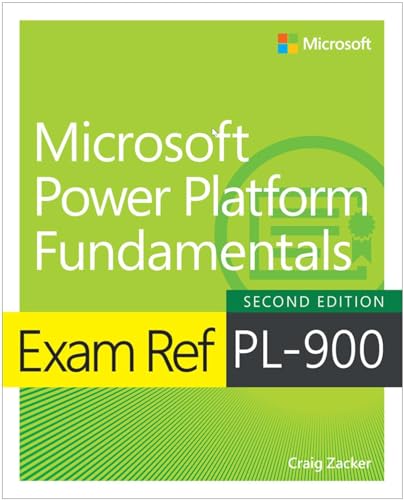
 Buy on Amazon
 Learning path on Pluralsight
 Take courses on Udemy