How to Build Your CDA Professional Portfolio in 2026
The CDA (Child Development Associate) Professional Portfolio is the most time-consuming part of earning your CDA credential from the Council for Professional Recognition. Unlike a multiple-choice exam, the portfolio requires you to compile real evidence of your competence as an early childhood educator -- 6 Reflective Statements of Competence, a Resource Collection, Family Questionnaires, and a Professional Philosophy Statement.
Major change effective February 2, 2026: The Council launched an Enhanced Credentialing Decision Process that changes how the portfolio is submitted, when you take the exam, and whether you even need a Verification Visit. This guide reflects every 2026 change and walks you through each portfolio section step by step.
FREE CDA Exam Prep CourseFree exam prep with practice questions & AI tutor
What Changed on February 2, 2026?
The Council for Professional Recognition implemented five key changes that affect every CDA candidate:
- Digital portfolio upload is now required. You upload your Professional Portfolio to the YourCouncil portal at the time you apply -- no more paper binders for most settings. Accepted file types include .jpg, .png, .pdf, .bmp, .webp, .tiff, and .tif, with a 20 MB max per file.
- The exam comes before the Verification Visit. You take the CDA Knowledge Assessment at a Pearson VUE testing center first, then the Council reviews your portfolio. Under the old process, the Verification Visit came first.
- Three credentialing paths. Depending on your exam result, you may qualify for a streamlined decision without a Verification Visit, need a Verification Visit, or need to retake the exam.
- Paper applications ended. All applications and renewals must go through YourCouncil online.
- New Birth-to-Five setting. A fifth CDA setting type launched, covering center-based programs serving infants through preschoolers.
The optional CDA E-Portfolio tool at yourcdaportfolio.org also launched in early 2026. It walks you through each portfolio section, generates a PDF for upload, and supports bilingual specialization (English/Spanish). It is free to use but requires a separate account from YourCouncil.
The Three Credentialing Paths (New in 2026)
After you upload your portfolio and take the exam, the Council places you on one of three paths:
| Path | What Happens | Who Qualifies |
|---|---|---|
| Path 1: Streamlined Decision | Council reviews your portfolio and issues a credentialing decision without a Verification Visit | Candidates who demonstrate qualifying competence on the exam AND meet all other requirements |
| Path 2: Verification Visit | A PD Specialist conducts a Verification Visit (observation, portfolio review, reflective dialogue) | Candidates who do not reach the qualifying exam level |
| Path 3: Exam Retake | You retake the exam (up to 2 additional attempts at $125 each) | Candidates who do not pass the exam |
After three unsuccessful exam attempts, you must wait 6 months before reapplying. The Council reviews your portfolio within 15 business days of your exam results. If materials are incomplete, you get 15 business days to provide missing items; the first re-review is free, and subsequent re-reviews cost $35 each.
What Is the CDA Professional Portfolio?
The portfolio is a structured collection of documents that demonstrates your skills across the 6 CDA Competency Standards. As of February 2, 2026, you upload it digitally through YourCouncil when you apply.
| Portfolio Component | What It Contains |
|---|---|
| Summary of Education | Documentation of 120 clock hours across 8 subject areas |
| Family Questionnaires | Feedback from families of children in your care, with a Summary Sheet |
| 6 Reflective Statements of Competence | Written reflections (500 words max each), one per Competency Standard |
| Resource Collection (RC I-VI) | Specific items organized by Competency Standard |
| Professional Philosophy Statement | Your beliefs about how children learn (1-2 pages) |
| Setting-Specific Forms | Additional forms from your CDA Competency Standards book |
CDA Eligibility Requirements
Before building your portfolio, confirm you meet all CDA eligibility requirements:
| Requirement | Details |
|---|---|
| Education | 120 clock hours across 8 CDA Subject Areas (10+ hours each) |
| Professional Experience | 480 hours working with children in your chosen setting within the past 3 years |
| Age | 18 years or older |
| Education Level | High school diploma or GED |
| Competency Standards Book | Purchase the setting-specific book from the Council Store |
The 480-hour professional experience requirement catches many candidates off guard. Start tracking your hours early -- you will need documentation from your employer confirming your experience.
Step 1: Document Your 120 Education Hours
Your portfolio must include documentation of 120 clock hours of formal early childhood education across these 8 CDA Subject Areas:
| Subject Area | Minimum Hours |
|---|---|
| Planning a safe and healthy learning environment | 10 |
| Advancing children's physical and intellectual development | 10 |
| Supporting children's social and emotional development | 10 |
| Building productive relationships with families | 10 |
| Managing an effective program operation | 10 |
| Maintaining a commitment to professionalism | 10 |
| Observing and recording children's behavior | 10 |
| Understanding principles of child development and learning | 10 |
What counts as clock hours:
- College coursework (1 semester credit = 15 clock hours)
- CDA-specific training programs
- Head Start in-service training
- Professional development workshops
- Online courses from Council-recognized providers
All training must be completed through a Council-recognized program. Verify your training provider on the Council's website.
Step 2: Distribute and Collect Family Questionnaires
Family Questionnaires give families a voice in your credentialing process. Here is how to handle them correctly:
The Process
- Get the official questionnaires from your CDA Competency Standards book or the Council's website
- Distribute to all families of children in your care
- At least 51% of families must return them -- a majority is required, not a fixed number
- Do NOT read the completed questionnaires -- they are private between families and the Council
- Complete the Family Questionnaires Summary Sheet noting the number distributed, number collected, areas of strength, and areas for professional growth
- Upload everything to YourCouncil as part of your portfolio
Important Rules
- Questionnaires must be completed within 6 months before you apply
- The PD Specialist (if you have a Verification Visit) verifies the count matches your Summary Sheet but does not read individual questionnaires
- For bilingual specialization, families should complete all questions, paying attention to Question 14 (specific to bilingual programs)
- If you have fewer than 51% returned, you cannot complete your portfolio -- distribute extra and follow up
Tips for Higher Response Rates
- Send a cover letter explaining the CDA process and why their feedback matters
- Follow up verbally at drop-off or pick-up
- Offer the questionnaire in families' home languages when possible
- Provide a clear deadline and return envelope (if using paper)
- Do not take it personally -- some families will not respond
Step 3: Write Your 6 Reflective Statements of Competence
This is the heart of your portfolio. You must write 6 Reflective Statements of Competence, one for each CDA Competency Standard. Each statement has a maximum of 500 words -- not 2 pages as some outdated guides claim. The 500-word limit is specified in the CDA Competency Standards book.
The 6 Competency Standards and Their Functional Areas
| Standard | Goal | Functional Areas |
|---|---|---|
| I | Establish and maintain a safe, healthy learning environment | Safe, Healthy, Learning Environment |
| II | Advance physical and intellectual competence | Physical, Cognitive, Communication, Creative |
| III | Support social and emotional development and provide positive guidance | Self, Social, Guidance |
| IV | Establish positive and productive relationships with families | Families |
| V | Ensure a well-run, purposeful program responsive to participant needs | Program Management |
| VI | Maintain a commitment to professionalism | Professionalism |
What Each Statement Must Include
- A description of how your practices meet the Competency Standard
- Specific examples from your classroom (one paragraph per functional area is recommended)
- A reference to an item in your Resource Collection that reflects your philosophy
- Your own words -- no copying, quoting, or plagiarism
- Follow the numbering pattern in the CDA Competency Standards book
Writing Tips for All 6 Statements
- Use specific examples -- describe a real scenario, not generic theory
- Include the why -- explain the reasoning behind your practices
- Be authentic -- write in your own voice, not textbook language
- Stay under 500 words -- the Council enforces this limit
- Write in present or past tense -- describe what you do or did, never what you "will do"
- Proofread carefully -- grammar and spelling matter in a professional document
- Type in 11-12 point font (Arial or Times New Roman), spell-checked and grammatically correct
Step 4: Build Your Resource Collection (RC I-VI)
The Resource Collection contains specific items organized by Competency Standard. Each section serves a different purpose. The full structure includes RC I through RC VI:
RC I: Safe, Healthy Learning Environment (3 items)
- RC I-1: Weekly menu showing healthy meals and snacks
- RC I-2: Room arrangement reflection (how your space supports safety and learning)
- RC I-3: Weekly lesson plan
RC II: Physical and Intellectual Development (9 items)
Provide one specific learning experience for each of the 9 activity areas:
| Activity Area | Example |
|---|---|
| Science/Sensory | Nature walk observation journal |
| Language/Literacy | Story time with interactive questions |
| Creative Arts | Process art with recycled materials |
| Fine Motor | Playdough letters and shapes |
| Gross Motor | Obstacle course with tunnels and balance beams |
| Self-Concept | "All About Me" collage project |
| Emotional Skills/Self-Regulation | Feelings chart and check-in routine |
| Social Skills | Cooperative group game |
| Mathematics | Counting and sorting natural objects |
For each activity, include the title, materials needed, how it supports development, and how you adapt it for different ages or abilities.
RC III: Social and Emotional Development (1 collection)
A bibliography of 10 children's books that support social and emotional growth. For each book, include the title, author, publisher, publication year, and a brief description of how it helps children's development.
RC IV: Family Relationships (4 items)
Create or compile 4 family resources:
- RC IV-1: A resource for child growth and counseling services
- RC IV-2: A resource for translation or language support services
- RC IV-3: A resource for disability or special needs services
- RC IV-4: A parenting resource (websites, articles, or community programs)
RC V: Program Management (3 items)
Include 3 blank record-keeping forms used in your program:
- Accident/injury report form
- Emergency contact form
- Child development observation tool
RC VI: Professionalism (3 items)
- RC VI-1: Contact information for your state's child care licensing or resource agency
- RC VI-2: A list of 2-3 early childhood professional organizations (e.g., NAEYC, local AEYC)
- RC VI-3: Your state's mandated reporter guidelines
Step 5: Write Your Professional Philosophy Statement
Your philosophy statement is a 1-2 page reflection on your core beliefs about working with young children. This is the first section a reviewer reads, so make it compelling.
What to Address
- Your beliefs about how children learn (play-based, constructivist, Montessori, etc.)
- Your role as an educator (facilitator, guide, co-learner)
- The importance of family involvement
- How you create an inclusive environment
- Your commitment to ongoing professional development
Writing Approach
Write in your own voice. Connect your beliefs to your daily practice -- do not just list abstract theories. Reference specific things you do in your classroom that reflect your philosophy. A strong philosophy statement shows that your beliefs actually shape your teaching.
Step 6: Upload Your Portfolio to YourCouncil
As of February 2, 2026, you upload your completed portfolio digitally when you submit your CDA application through the YourCouncil portal.
Upload Requirements
- Accepted file types: .jpg, .jpeg, .png, .bmp, .webp, .tiff, .tif, .pdf
- Max file size: 20 MB per file
- Application fee: $525 online (paper applications are no longer accepted)
- Voucher payment option is available through YourCouncil
Using the Optional E-Portfolio Tool
The CDA E-Portfolio tool is a free, optional platform that guides you through each portfolio section step by step. It can generate a PDF of your completed portfolio for upload to YourCouncil. Key details:
- Separate account from YourCouncil (use the same email for both)
- Supports all 5 settings plus bilingual specialization
- Available in English and Spanish
- Birth-to-Five support was added in 2026
Home Visitor exception: The Home Visitor setting continues to use the current process -- the portfolio is reviewed onsite by a PD Specialist during a Verification Visit, and digital upload is not required.
Step 7: Take the CDA Exam
Under the 2026 enhanced process, you take the CDA Knowledge Assessment before your Verification Visit (if one is needed).
Exam Details
| Detail | Information |
|---|---|
| Questions | 65 total (60 multiple-choice + 5 scenario-based with narrative and photo) |
| Time limit | 1 hour 45 minutes (105 minutes) |
| Delivery | Pearson VUE testing centers or online proctoring |
| Scheduling | Via Pearson VUE website or (866) 507-5627 |
| Passing score | Pass/fail -- the Council does not publish a numerical cut score |
| Results | Preliminary result on screen; official result in YourCouncil within a few business days |
After the exam, you receive a Performance Profile showing how you did within each Competency Standard, which is useful for targeting study if a retake is needed.
Retake Policy
- $125 per retake
- Up to 2 additional attempts (3 total attempts)
- After 3 unsuccessful attempts, wait 6 months before reapplying
Step 8: Complete Your Verification Visit (If Required)
If your exam result places you on Path 2, a Professional Development (PD) Specialist conducts a Verification Visit. Under the new process, the PD Specialist can access your digital portfolio in advance.
What Happens During the Visit
| Phase | Duration | What Happens |
|---|---|---|
| Observation | 1-2 hours | PD Specialist observes you working with children |
| Portfolio Review | 30-45 min | Specialist reviews your uploaded portfolio |
| Reflective Dialogue | 30-45 min | One-on-one conversation about your practices |
| Family Questionnaires | During review | Specialist verifies the count matches your Summary Sheet |
Tips for the Verification Visit
- Treat it like a normal day -- the specialist wants to see your regular routine
- Dress professionally but comfortably -- you will be on the floor with children
- Know your portfolio -- be ready to explain your choices and reasoning
- Stay calm and authentic -- the specialist is there to verify your competence, not trip you up
- Prepare your classroom -- make sure your environment reflects what you wrote
CDA Credential Settings: Which Portfolio Are You Building?
As of 2026, there are 5 CDA setting types. Your competency statements, Resource Collection, and setting-specific forms must reflect the age group and setting you chose:
| Setting | Age Group | Where You Work |
|---|---|---|
| Infant-Toddler | Birth to 36 months | Center-based programs |
| Preschool | 3 to 5 years | Center-based programs |
| Birth-to-Five (new in 2026) | Birth to 5 years | Center-based programs (multi-age) |
| Family Child Care | Birth to 5 years | Home-based programs |
| Home Visitor | Birth to 5 years | Family homes (visiting) |
Purchase the CDA Competency Standards book for your specific setting from the Council Store. Each setting has a color-coded book with the exact portfolio requirements and forms you need.
8-Week CDA Portfolio Timeline
This timeline reflects the 2026 process: portfolio first, then exam, then (if needed) Verification Visit.
| Week | Tasks |
|---|---|
| Week 1 | Apply on YourCDA portal ($525 fee), verify 120 education hours, choose setting type, purchase Competency Standards book |
| Week 2 | Distribute family questionnaires, begin gathering education documentation |
| Week 3 | Write Reflective Statements of Competence I and II (500 words max each) |
| Week 4 | Write Reflective Statements III and IV |
| Week 5 | Write Reflective Statements V and VI |
| Week 6 | Build Resource Collection (RC I-VI), write Professional Philosophy Statement |
| Week 7 | Organize portfolio, proofread, upload to YourCouncil with your application |
| Week 8 | Take CDA Knowledge Assessment at Pearson VUE; await credentialing decision |
If your exam result qualifies you for Path 1 (Streamlined Decision), you may receive your credential without a Verification Visit. If you are placed on Path 2, schedule your Verification Visit after receiving your exam results.
Common CDA Portfolio Mistakes to Avoid
Content Mistakes
- Writing competency statements over 500 words (the Council enforces this limit)
- Generic statements without specific examples from your classroom
- Copying text from textbooks or other sources instead of writing in your own words
- Skipping the why -- explaining what you do but not the reasoning behind it
- Outdated resources in your Resource Collection
- Missing any of the 9 activity areas in RC II
- Fewer than 10 children's books in RC III
- Missing any of the 4 family resources in RC IV
Process Mistakes
- Waiting until the last minute to distribute family questionnaires (you need 51% returned)
- Not meeting the 6-month portfolio completion window before applying
- Choosing a CDA setting type that does not match your current role
- Forgetting that the exam comes before the Verification Visit in 2026
- Not saving backup copies of your work before uploading
- Ignoring the 120-hour subject area distribution (10+ hours per area)
Organization Mistakes
- No table of contents or clear section labels in your digital portfolio
- Missing the Family Questionnaires Summary Sheet
- Uploading files that exceed the 20 MB limit
- Not using the correct file types (.jpg, .png, .pdf, etc.)
Practice CDA Knowledge Assessment Questions
While building your portfolio, prepare for the 65-question CDA exam with our AI-powered study tools. Our course covers all 13 functional areas across the 6 Competency Standards with practice questions, key takeaways, and AI-powered explanations.
Ready to Earn Your CDA?
Join thousands of early childhood educators who have prepared for their CDA credential using our 100% FREE study materials. Our AI-powered tools can help you brainstorm ideas for your Reflective Statements of Competence and Resource Collection activities.
No credit card required. Start today.
Official CDA Resources
- Council for Professional Recognition -- Official CDA credentialing body
- YourCouncil Portal -- Apply, upload your portfolio, and track your application
- CDA E-Portfolio Tool -- Optional free tool for building your portfolio step by step
- CDA Credentialing Decision Enhancement -- Official February 2, 2026 process changes
- CDA Process Updates for 2026 -- Birth-to-Five credential, paperless applications, renewal changes
- Pearson VUE CDA Exam -- Schedule your exam
- CDA Competency Standards Book -- Required setting-specific guide
- NAEYC Code of Ethical Conduct -- Reference for your Professional Philosophy

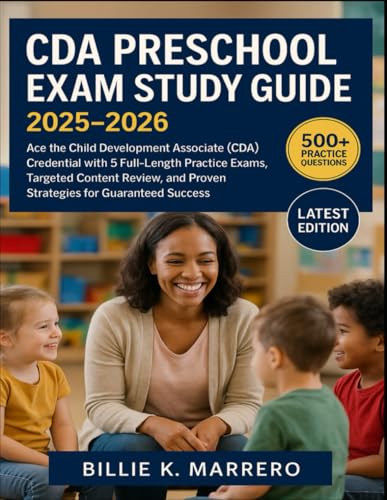
 Buy on Amazon
 Practice exams on ExamEdge